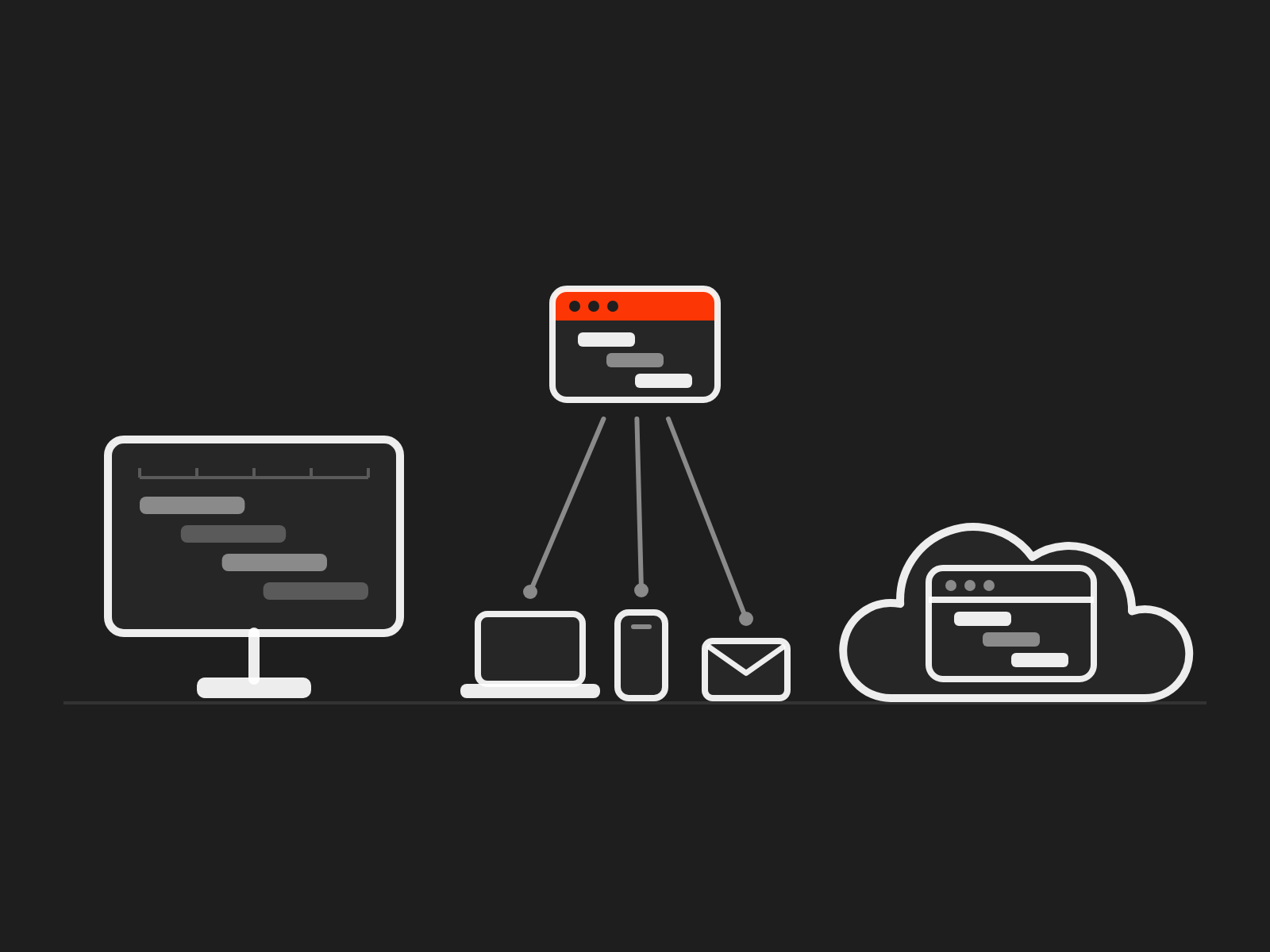
Three editions, and one that fits how you work.
Oracle Primavera P6 software comes in three editions: P6 Professional on a Windows desktop, P6 EPPM in a web browser for the whole organisation, and a cloud subscription run by Oracle. We explain the difference in plain words and tell you which one fits how many people need P6, what they do in it and where it should run. Ask a question, not for a quote.
Three editions, one decision
Most people call them the three flavours of Primavera, and the names do not help. They overlap more than they look: P6 Professional is the desktop application planners use, either on its own or alongside P6 EPPM. So the decision is smaller than it looks: who needs P6, what they do in it, and who should run it. This page sets the editions side by side, then gives you the questions that decide between them.
Who this page is for
- Organisations choosing P6 for the first time, often after winning a project that needs it.
- Teams on P6 Professional wondering whether they have outgrown it.
- Organisations on P6 EPPM weighing up Oracle's cloud service.
What you will know
- What each edition is, in plain words.
- Which one fits how many people use P6, what they do in it and where it should run.
- What to ask before you buy, renew or move.
The three editions, side by side
What changes from one edition to the next is who uses P6, where it runs and who looks after it.

| Edition | P6 Professional | P6 EPPM | P6 SaaS |
|---|---|---|---|
| Oracle's full name | Primavera P6 Professional Project Management (often called PPM) | Primavera P6 Enterprise Project Portfolio Management | Primavera P6 Enterprise Project Portfolio Management Cloud Service |
| In plain words | The desktop application for planners and schedulers | P6 for the whole organisation, used mainly in a web browser | P6 EPPM provided by Oracle as a cloud service |
| Who uses it | One planner, or a team of planners sharing a database | Planners on the desktop or the web; team members updating their tasks by web, mobile or email; managers and administrators on the web | The same people as P6 EPPM |
| Where it runs | Windows PCs: on its own for one user, on a shared Oracle Database or Microsoft SQL Server database for several, or connected to P6 EPPM | Your own servers, or a hosting provider's | Oracle's cloud |
| Who looks after it | You | Your IT team or your host: servers, database, upgrades and patches | Oracle runs the service and applies the upgrades; you look after users, set-up and standards |
| How it is paid for | A licence plus annual support | A licence plus annual support | A subscription for a fixed term, counted per named user |
| Suits | One planner, or a small planning team scheduling its own projects | Organisations running many projects at once, where people outside planning update progress or need to see the portfolio | Organisations that want P6 EPPM without running servers, or whose servers are due for replacement |
P6 SaaS is the same P6, run by Oracle. What that changes for your team is below.
With P6 EPPM, planners can still work in P6 Professional on the desktop: Oracle lists it among the components included with a P6 EPPM licence.
Not the same as Oracle Primavera Cloud. Oracle also offers Oracle Primavera Cloud, a separate cloud product for planning, scheduling, resources and risk. In Oracle's own words, "Oracle Primavera Cloud is not Primavera P6 in the Cloud", so moving to it is a change of tool, not only of where P6 runs.
Moving to the cloud? Our Cloud page helps you choose a cloud option and plan the move, so this page stays on the choice of edition.
The same P6, run by Oracle
P6 SaaS is P6 EPPM on Oracle's cloud. Your planners keep P6 Professional, Oracle runs the servers, the database and the upgrades. What changes is everything around P6, and that is where a move goes right or wrong.
Happy with P6 on your own servers? Here is what the move is for.
Most teams we meet are happy with P6 on their own servers, and P6 itself does not change in the cloud. What changes is who carries the work around it. The case is different for IT and for planners, so we make it to each.
For IT: what stops being yours
- Patching the whole stack. Oracle now issues security fixes every month as well as every quarter. On your own servers, IT applies them to P6, the database, WebLogic and Java. In Oracle's cloud they arrive "automatically as part of the service".
- Essential Eight timeframes. If your assessor treats an internet-facing P6 as an online service, critical patches are due within 48 hours, with daily scanning. In the cloud, the server side becomes Oracle's job under contract. Your assessor decides how P6 is classed; this is not security or legal advice.
- Upgrade projects. Oracle's own upgrade checklist for P6 on your servers runs to 18 steps, from uninstalling P6 to upgrading the database. In the cloud, upgrades are part of the service.
- Support dates. Release 21 leaves Premier Support in December 2026, and P6 has no Extended Support, so a release left behind stops getting security patches. In the cloud you stay on a supported release by design.
- The licences around P6. Clustering for high availability, as Oracle recommends, needs WebLogic Enterprise Edition, and no database licence comes with P6. In the cloud, the database and middleware are Oracle's.
- Recovery in writing. A 36-hour recovery time, a one-hour recovery point and 99.5% target availability, in Oracle's service description rather than your own run book.
- P6 Professional on every desktop. ClickOnce, set up by Oracle, installs P6 Professional and keeps it on the latest version, so local IT stops packaging each release.
What stays with IT: single sign-on and multi-factor authentication, removing leavers, integrations and data feeds, testing Oracle's updates, your own recovery copies, and the order terms: region, recovery targets and user numbers. More under "What changes for your team", below.
For planners: what they gain
- The same P6. Oracle says P6 SaaS has "the same functionality" as P6 on your own servers, so there is nothing to relearn.
- New features when Oracle ships them. Feature releases come twice a year, with fixes every month, instead of waiting for IT's next upgrade project.
- A test environment of their own, to try a new release, a global change or new codes, and to train new starters, without touching live schedules.
- Report writing included. Users with the report author role create and edit reports in the cloud service. On your own servers that needs a full-use Analytics Publisher licence.
- Work from site or home. P6 web, Team Member and P6 Professional reach the service over the internet, so access no longer depends on IT publishing an internal server, and P6 Professional can work offline.
- Integrations on Oracle's current route. Oracle Integration comes with the service, as Oracle moves integrations away from Gateway and has removed Workflows from P6.
What gets harder for planners: no direct SQL on the live database, so reports move to Oracle's data service; update dates agreed with Oracle; and test copies refreshed at most once a quarter.
Fair objections, and the test for each
| What we hear | What Oracle's documents say | The test we run with you |
|---|---|---|
| "We lose our database reports." | No SQL or ODBC access. Primavera Data Service gives read-only access to the P6 tables and reporting views, and Oracle advises loading them into a local database for complex queries. | Rebuild your five most-used reports in the test environment, then compare effort and refresh times. |
| "Oracle picks our update days." | You stay within two versions of the current release. Fall three behind and Oracle assigns a window. You can ask for separate test and production days, or a weekend production update. | Lay a year of Oracle's releases over your month-ends and claim dates, and agree a standing rhythm. |
| "Our data has to stay in Australia." | Oracle's policies define APAC, not Australia, and Oracle's Australian IRAP page lists no Primavera service. | Ask Oracle in writing for the data centre city, and have it named in the order. To validate |
| "Our recovery is faster." | 36 hours and one hour, contracted, for production. | Compare with the date and result of your last full recovery test. |
| "We already own the licences." | Oracle's service descriptions say nothing about converting P6 licences. | Compare five years of each. On your servers: support, database and middleware licences, servers, recovery site, patching and upgrades. In the cloud: subscriptions, add-ons, and the reports you rebuild. No prices on this page. |
| "We run SQL Server." | Oracle's included migration covers P6 on Oracle Database only. | Plan the conversion first; that is where we help. |
Oracle says plainly that "Primavera P6 isn't going anywhere", and it has announced no end date for P6 on your own servers. The case for P6 SaaS is about who carries the work, not about P6 going away.
Oracle facts for this part: checked on 19 October 2026: monthly Critical Security Patch Updates from 28 May 2026, and Oracle-managed cloud customers "continue to receive security updates automatically as part of the service" (Source 18); Essential Eight patch timeframes for online services, 48 hours for critical vulnerabilities (ISM-1876) and daily scanning (ISM-1698), and removal of unsupported online services (ISM-1905) (Source 19: Australian Signals Directorate, Essential Eight maturity model and ISM mapping, cyber.gov.au, read 19 October 2026, and "Cloud computing security for tenants", updated 18 January 2024); the 18-step upgrade checklist (Source 20); no new security patches under Sustaining Support (Source 16: Oracle Software Technical Support Policies, 2026, pp15 to 16) and release 21's Premier Support end date (Source 15: Lifetime Support Policy for Oracle Applications, August 2026); clustering recommended (Source 21: P6 EPPM Performance and Sizing Guide for On-Premises, version 25, December 2025, p10) and clustering "would trigger a full-use license of WebLogic Server Enterprise Edition", with no database licence listed (Source 21: P6 EPPM Licensing Information User Manual, version 25, December 2025, pp5 to 7); the hosted environment "owned, licensed or managed by Oracle" (Source 10: Oracle Construction and Engineering Primavera Service Descriptions and Metrics, effective 10 September 2026, p7); recovery targets (Source 10, pp41 to 42); ClickOnce "configured and provided to you by your Oracle support representative" and P6 Professional "usually automatically updated to the latest version" (Source 22); "the same functionality" and "Primavera P6 isn't going anywhere" (Source 11: "Primavera P6 SaaS or Oracle Primavera Cloud" datasheet, version 1.0, 2026, pp1 to 2); bi-yearly feature releases, monthly bug fixes, the two-version rule, assigned windows and split or weekend updates (Source 23); the non-production environment for testing and training (Source 10, pp5 to 6, 41); report authoring for BIAuthor users in the cloud (Source 10, p41; Source 24: P6 EPPM Reporting Guide, version 26, 31 March 2026, and Primavera Data Service Guide, version 25, 10 October 2025, and Introduction, version 26, 8 January 2026) against a full-use Analytics Publisher licence on your own servers (Source 21, Licensing manual p7); Oracle Integration included (Source 10, p41, pp73 to 74); Gateway deprecated and Workflows removed in 25.12 (Source 14: Primavera P6 Cumulative Feature Overview, releases 18.8.1 to 25.12, p100); Primavera Data Service read-only access and Oracle's advice on complex queries (Source 24); the APAC region (Source 12: Oracle Cloud Hosting and Delivery Policies, September 2026, p4) and Oracle's Australian IRAP page (Source 25); the migration scope (Source 10, p75). An internet-facing P6 may be classed as an online service, and each organisation's assessor decides. The data centre city and IRAP status for P6 SaaS; that report authoring carries no extra fee; what "two versions" means and whether blackout periods can be agreed; any conversion credit for P6 licences. To validate
Comes with it
- P6 EPPM in the browser, P6 Professional on the desktop and Team Member for progress updates.
- ClickOnce deployment for P6 Professional, set up by Oracle: it installs in one click, keeps itself on the latest version and can work offline, so local IT no longer packages each release.
- Single sign-on with your own identity provider, through SAML 2.0. It needs technical set-up before go-live, and Oracle's migration support includes help with it. To validate
- Web services access for your licensed P6 users.
- Reporting through Oracle Analytics Publisher, including report writing for users with the report author role, and Primavera Data Service for your own reporting tools To validate.
- Two environments: production and a non-production copy for testing and training.
- Oracle Integration, Oracle's current route for connecting P6 to other systems.
- Oracle's migration support for one P6 database.
Bought separately
- Extra non-production environments.
- Web services access for people and systems that are not P6 users.
- Progress-only seats for people who just update their tasks.
- A hosted virtual desktop, only if you would rather not install P6 Professional at all. Most teams use ClickOnce instead.
What changes for your team (the part brochures leave out)
- Logins. We see usernames change format, so sign-in is set up again. Oracle's migration support includes help with single sign-on set-up.
- Reports and Power BI. There is no direct database connection. We see every feed that read the database rewritten to use Oracle's data service or web services. Reports are outside Oracle's included migration.
- Restores. Oracle's backups are there to recover the service, for Oracle's own use. Oracle says it typically does not restore your data for you, though it may help by exception. Keep your own way to get a project back as it was yesterday.
- Update days. Oracle runs a continuous-update model, and you stay on supported releases. We see teams that do not agree maintenance dates with Oracle early end up with test and production updated on the same day, which a normal change-approval process will not accept.
- The test environment. Up to 50 users at a time, refreshed from production at most once a quarter on request, with no service levels or disaster recovery.
- Recovery targets. Oracle states a 36-hour recovery time and a one-hour recovery point for production, with 99.5% target availability. Check those against what your business expects.
- Where the data sits. In the region named on your order. Oracle's policies define APAC, not Australia. To validate
The move. Oracle's included migration covers one production P6 EPPM database on Oracle Database, release 8.1 or later, under 100 GB: a readiness assessment, a trial and a final upgrade, a few hours of coaching for your administrators, and a few days of help with testing and go-live. It leaves out SQL Server databases, P6 Professional databases, customisations, file repositories, reports and interfaces. That list is where the real work is, and it is where we help. The move itself is on our Cloud page.
Suits, and who should plan first. It suits teams whose IT does not want to run the database, WebLogic and Java, or whose P6 release is due to leave Premier Support. Plan first if your reporting reads the database directly, you need to choose your own update days, or you restore projects yourself line by line. Those habits change before the move, not after.
Not the same as Oracle Primavera Cloud. That is a different product, and moving to it is a change of tool. To compare P6 SaaS with P6 on your own servers, see our Cloud page.
Oracle facts: checked on 19 October 2026: the modules included with the P6 EPPM Cloud Service, among them P6 Professional, Team Member, Peripheral Access, Analytics Publisher (restricted to integrated use and report authors), Gateway (for other Primavera cloud services only), Oracle Integration and migration support (Source 10: Oracle Construction and Engineering Primavera Service Descriptions and Metrics, effective 10 September 2026, p41); two environments (Source 10, p41) and the non-production rules (Source 10, pp5 to 6); extra non-production environments, Virtual Desktop with "the lesser of 80 Users", Peripheral Access per Hosted Named User or Hosted Employee, and Progress Reporter as separate services (Source 10, pp42 to 46); recovery time "36 hours", recovery point "1 hour", availability "99.5%" (Source 10, pp41 to 42); the one-click install, offline working and Primavera Data Services (Source 11: "Primavera P6 SaaS or Oracle Primavera Cloud" datasheet, version 1.0, 2026, p2); ClickOnce provided and configured by Oracle, with automatic updates (Source 22); Oracle Integration included (Source 10, p41, pp73 to 74); single sign-on: the datasheet marks it "* added cost" (Source 11, p2) and the service descriptions are silent, while our experience is that it needs technical configuration, not a separate fee To validate; the migration scope, assumptions and exclusions, including "SAML 2.0 authentication configuration support" (Source 10, pp75 to 76); backups "for Oracle's sole use", "Oracle typically does not ... restore Your data on Your behalf" and help "on an exception basis" (Source 12: Oracle Cloud Hosting and Delivery Policies, September 2026, p10 s2.2); the continuous-update model (Source 12, p14 s4.1.3); the region rule and the APAC definition (Source 12, p4); the ClickOnce installer and Primavera Data Service in Oracle's release notes (Source 14: Primavera P6 Cumulative Feature Overview, releases 18.8.1 to 25.12; 19.4, 24.10, 25.4); P6 21.x leaving Premier Support in December 2026 (Source 15: Lifetime Support Policy for Oracle Applications, August 2026). The login, reporting-feed and same-day update patterns are our field experience, not Oracle statements. The commercial terms of Primavera Data Service, which the service descriptions do not name. To validate

Six questions that decide it
Answer these and the edition mostly chooses itself. Where two answers point different ways, advice helps.
- How many people need P6, and what do they do in it? If one or two planners build the schedules, P6 Professional usually fits. If planners work alongside people who update progress or only read reports, P6 EPPM fits better.
- Does anyone outside the planning team need to see or update projects? That is what the web, mobile and email options in P6 EPPM are for: team members update their own tasks, and managers see the portfolio.
- One project or many? A few projects run by one team can sit in P6 Professional. Many projects managed as a portfolio, sharing resources and codes, point to P6 EPPM.
- Who will run it? On your own servers, your IT team looks after the servers, the database, upgrades and patches. The cloud service hands that work to Oracle, and your integrations need checking before you move. You still agree update dates with Oracle, rebuild any report that read the database, and keep your own way to recover a project, as the cloud service section explains.
- What will your clients expect? If a contract asks for schedules in P6, ask which version the client runs, so your files open at their end.
- How do you prefer to pay? A licence plus annual support, or a subscription. Compare them over the same years, counting every cost on both sides. Our Licensing & Procurement page explains the licence models in plain words.
Advice first, then set up right
We help you choose the edition and the licence model, and we set it up properly once you have chosen. There are no prices on this page: the cost depends on the edition, the number and type of users and the licence model, and we work it through with you.
-
1
The right edition and licence model
We look at how many people use P6, what they do in it and where it should run, then recommend an edition and a licence model in writing. Independent advice means the answer is sometimes the smaller edition.
-
2
Set up through Transformation
Once you have chosen, our Transformation service sets P6 up with standards and guardrails from day one. Changing edition later is a Transformation project too.
Questions people ask
Is P6 Professional the same as P6 EPPM?
No. P6 Professional is the Windows desktop application planners use. P6 EPPM is the wider system, used mainly in a web browser, and Oracle includes P6 Professional with it. P6 Professional can also be used on its own.
Is the P6 cloud service the same as Oracle Primavera Cloud?
No. The P6 EPPM Cloud Service is P6 EPPM provided by Oracle as a service. Oracle Primavera Cloud is a different product: in Oracle's words, it "is not Primavera P6". Our Oracle Primavera Cloud page sets out what changes.
Can planners keep the desktop application if we move to the cloud service?
Yes. P6 Professional comes with P6 SaaS. It installs from the cloud in one click and can work offline. If you would rather not install it at all, Oracle sells a virtual desktop separately.
Can we start with P6 Professional and move to P6 EPPM later?
Yes. The move is easier when your codes and structure were set up with it in mind, and it is a Transformation project.
What does each edition cost?
We do not publish prices. The cost depends on the edition, the number and type of users and the licence model, and we work it through against your own numbers.
We already have P6. Are we on the right edition?
Ask. We look at how you use it today and tell you whether the edition still fits. If the question is whether your licences match what is in use, our free entitlement check on Licensing & Procurement answers it.
P6 works fine on our own servers. Why would we move?
Because the work around it keeps growing: security fixes every month across P6, the database, WebLogic and Java, an upgrade project for each release, and support dates that leave old releases without patches. P6 SaaS keeps the same P6 and hands that work to Oracle. Oracle has announced no end date for P6 on your own servers, so it is a choice, not a deadline.
Will Oracle restore a project we deleted by mistake?
Not as a routine. Oracle's backups are for its own use, to recover the service, and Oracle says it typically does not restore your data for you, though it may help by exception with written approval. Keep your own way to get a project back, such as regular exports, and test it.
Can we choose when Oracle updates P6 SaaS?
Partly. Oracle runs a continuous-update model and expects you to stay on a supported release, and it says it will coordinate maintenance with you where it can. Agree your test and production dates with Oracle early. We see teams that leave it end up with both updated on the same day.
Will our Power BI reports still work after we move?
Not without changes. P6 SaaS gives no direct database connection, so any report that read the database is rebuilt on Oracle's data service or web services. People who reach P6 data through an integration need the right licence too, so list every feed before you move.
Is our P6 release still supported?
Check the number. Release 21 leaves Premier Support in December 2026, and P6 has no Extended Support, so it drops to Sustaining Support, which brings no new security patches. If you stopped paying support, you can only use the releases you obtained while it was current. We still see releases 19 and 20 in use.
A contractor has their own P6 licence. Can they use it in our P6?
No. A licence belongs to the organisation that authorised the user, so anyone who logs in to your P6 needs one of your licences. Their own licence covers their own installation. This is general information, not legal advice; our free P6 entitlement check counts who has access.
Does Oracle's included migration cover our database?
Only if it is a P6 EPPM database on Oracle Database, release 8.1 or later and under 100 GB. SQL Server databases, P6 Professional databases, customisations, file repositories, reports and interfaces are outside it.
The right edition is the one your people will use.
Buy more than you need and you pay for it every year; buy less and your planners stall. Tell us how you work, and we will tell you which edition fits, and why.
Ask which edition fits
Tell us roughly how many people use P6, or will, what they do in it and where you would like it to run. We will tell you which edition fits and why. We read every enquiry and aim to be in touch within one business day. A question, not a quote.